
How to Use Enterprise Architecture Building Blocks to Plan, Visualize, and Communicate Complex Systems
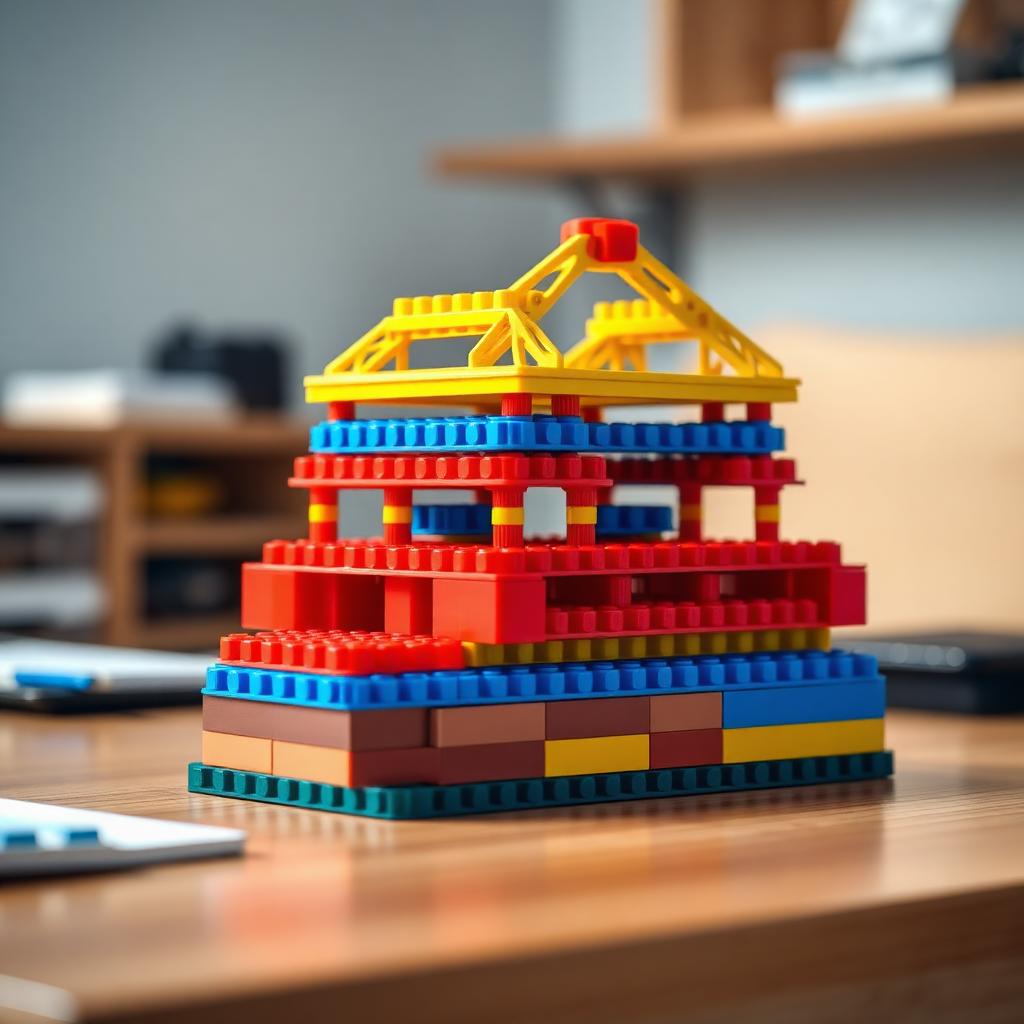
We hope this guide helps you see your work in a new, hands-on way.
Enterprise systems are hard to picture. Databases talk to services. Services feed apps. Apps serve people. When you try to explain all of it on a whiteboard, the arrows multiply until nobody follows along. There is a better way to think about it, and it starts with something you might have on your desk right now: bricks.
This guide shows you how to treat enterprise architecture building blocks as both a concept and a physical model. You will learn how to plan a system, make it visible, and share it clearly with people who do not speak your technical language. Whether you are an architect, a builder, or both, we hope you find something useful here.
Why a Brick Metaphor Works for Enterprise Architecture
Enterprise architecture (EA) is the practice of mapping how an organization's people, processes, data, and technology fit together. Frameworks like TOGAF describe reusable components called "architecture building blocks." They are the standard parts you assemble into a working whole.
A single brick does very little on its own. But snap several together with intention, and you get a wall, a tower, a whole structure. Each brick has a defined shape. Each connects in predictable ways. You can swap one out without tearing down the rest. For a deeper look at the framework side, see our TOGAF architecture building blocks guide.
Why abstraction fails teams
Architecture lives inside diagrams that only a few people can read. Executives see boxes and lines and glaze over. New hires struggle to grasp how the parts relate. Decisions stall because nobody shares the same mental picture. A physical model fixes this: it gives everyone one shared object to point at, question, and change together.
Define Your Blocks Before You Build
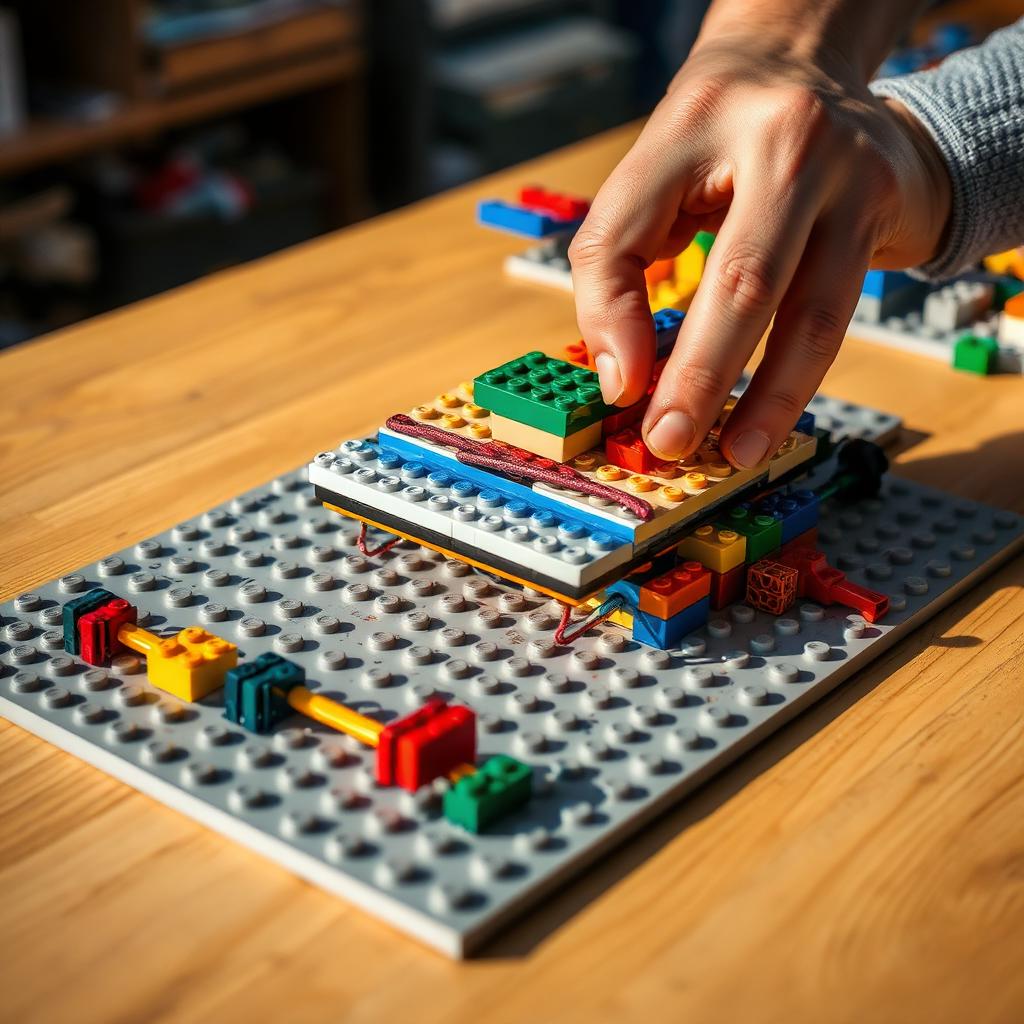
You would not dump a thousand loose bricks on a table and hope for the best. The same goes for architecture. Start by naming your parts. List the core components at a sensible level: the customer data store, the payment service, the mobile app, and so on.
Each block should be self-contained (does one clear job), reusable (you could plug it into another system), and defined by its edges (you know what goes in and what comes out).
Assign a brick type to each block
Pick a simple rule and stick to it:
- Color = layer. Blue for data. Red for applications. Yellow for business processes. Green for infrastructure.
- Size = scope. Large plates for major platforms. Small bricks for single services.
- Shape = type. Curved pieces for external systems. Standard blocks for internal ones.
Write your rules on a card and keep it beside the build. That card becomes your legend — the key that lets anyone read your model. If you want more layering ideas, our software architecture principles for MOCs covers modularity and connectors in depth.
Plan the Structure With a Rough Layout
Before you connect anything, arrange your bricks loosely on a baseplate. Group them by layer. Put infrastructure at the bottom, since everything rests on it. Stack the data layer above it. Then applications. Then the business processes people actually touch at the top.
This vertical stacking mirrors how real systems depend on each other. When you build bottom-up, dependencies become obvious. Walk around the table and ask: does every block sit on something that supports it? Are there bricks floating with nothing beneath them? Are two blocks doing the same job?
Connect Blocks to Show Relationships
A stack of separate towers is not a system. The connections are where the real story lives.
- Data flow with connector pieces. Use long, thin bricks or Technic-style beams to link blocks that pass information back and forth.
- Dependencies with stacking. If one block must sit directly on another, that is a hard dependency.
- Boundaries with baseplates. Group related blocks on their own small baseplate. That plate becomes a "domain" or bounded context. See our architecture building blocks examples and planning guide for more patterns.
Visualize Change and "What If" Scenarios
Say your team is debating whether to replace an old system. On a diagram, that is a redraw. On the model, you simply lift out the brick and hold a new one in its place. Which connections break? Which blocks now float without support? You see the ripple effects before you spend a single hour coding.
Run a migration in miniature
- Build your current system in bricks.
- Photograph it — this is your "before" state.
- Physically rebuild it into the target design, one move at a time.
- Photograph each step.
You now have a visual migration plan. For cloud-shaped versions of the same exercise, our cloud architecture building blocks and data center guide is a good next read.
Communicate to Non-Technical Stakeholders
When you present to executives, do not open the diagram tool. Set the model on the table. Let them walk around it. Speak in the model's language:
- "This blue block holds all our customer data. See how many red app blocks sit on top of it? That is why an outage here hurts so much."
- "We want to swap this old grey block for this new one. Watch what has to move when we do."
- "Everything on this baseplate is your team's responsibility. Everything on that one belongs to another group."
A finished model sitting on a shelf keeps working long after the meeting ends. For IoT-shaped examples of the same idea, see our IoT architecture building blocks guide.
Common Mistakes to Avoid
- Too much detail. A model with five hundred bricks is as confusing as the diagram you were trying to replace.
- No legend. If your colors and shapes mean nothing to a newcomer, the model fails.
- Skipping the "before" photo. People forget the starting point fast.
- Building alone. Gather your team around the table.
- Treating it as permanent. Systems change, so your model should too.
A Practical Checklist to Get Started
- List your system's core components at a sensible level.
- Choose a color, size, and shape rule for your bricks.
- Write a legend card and keep it beside the build.
- Sort bricks into layers, infrastructure at the bottom.
- Stack blocks to show dependencies.
- Use beams or connectors to show data flow.
- Group related blocks on baseplates as domains.
- Photograph your "before" state.
- Run one "what if" swap with your team.
- Present the model to a non-technical colleague and check they understand.
Bringing It All Together
Complex systems do not have to stay locked inside dense diagrams. When you turn architecture into something you can build, move, and display, you make it real for everyone involved. Start small. Define your blocks. Stack them by layer. Connect them to show how they talk. Then use the model to test changes and explain your thinking to people who need to understand it.
Explore more guides in our Architecture & Landmarks collection, including studio-style architecture builds and designing brick models with software architecture principles.
Frequently Asked Questions
What are enterprise architecture building blocks, in simple terms? They are the standard, reusable parts that make up an organization's systems — a data store, a payment service, a customer app. Each does a defined job and connects to others in predictable ways.
Do I need to know TOGAF to try this? No. The brick approach works even if you have never opened a framework document. Name your system's main parts and decide how they relate.
How detailed should my brick model be? Keep it high level. A good model usually has ten to forty blocks.
Can this really help me communicate with non-technical stakeholders? Yes. People grasp a physical object far faster than a diagram full of arrows.
What kind of bricks work best? Standard blocks in several colors, baseplates for domains, and beam or connector pieces for data flow.
Ready to build this yourself?
BrickHobby sells high-quality LEGO-alternative building block sets — the same brick standard, a fraction of the price. Browse our in-stock sets and simply contact our customer service team to place your order; we will confirm availability, pricing and worldwide shipping for you.
Keep reading

Architecture & Landmarks
Build Impressive Landmarks with Building Blocks Landmark 5 Sets
A hobbyist and family guide to building blocks landmark 5 sets — how to choose, sort, and build display-quality Eiffel Tower, Colosseum, and Taj Mahal models with BrickHobby as a LEGO alternative.

Architecture & Landmarks
How to Build Impressive Structures with Architecture Wooden Building Blocks
A step-by-step guide for hobbyists and families: how to choose a set, plan, sort, and build display-quality architecture models with wooden-style building blocks.

Architecture & Landmarks
How to Build Stunning Architectural Models with ABB Architecture Building Blocks
ABB architecture building blocks let hobbyists turn a love of buildings into display-worthy models. A complete builder's guide — planning, execution, choosing quality bricks, and showcasing the finished piece.