
How to Build a Smart-City Brick Model Using IoT Architecture Building Blocks
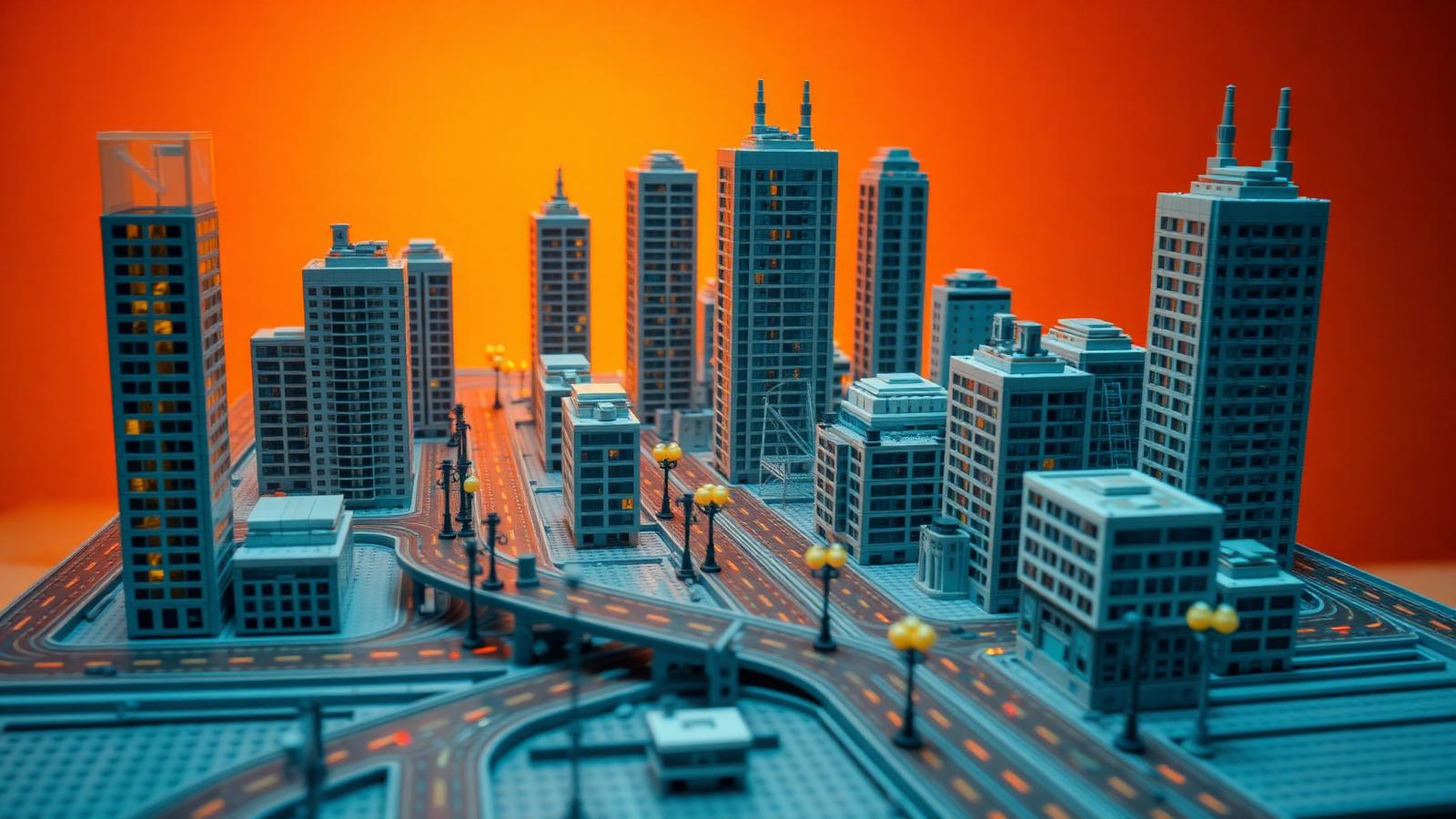
Smart cities and brick models share a secret. Both connect small parts into one working system. Sensors feed data. Hubs process it. Gateways route it. Apps put it to use. Swap "data" for "bricks," and you have a blueprint for building a modular tech-themed scene that actually holds together.
The four iot architecture building blocks — sensors, processors, gateways, and applications — form a clean four-layer framework. That same framework maps onto a brick city almost part for part. Sensor nodes become detail modules. Processing hubs become your structural core. Gateways become the connectors. The application layer becomes the display surface everyone sees.
This guide turns that framework into a build plan. You'll learn to map your scene, build each layer as its own module, and connect them into a smart city that scales, survives transport, and impresses on the shelf.
What you'll learn:
- Map a build using the four IoT layers
- Construct sensor nodes, hubs, gateways, and app-layer detail
- Beginner and advanced techniques
- Common mistakes to skip
Grab your bricks. Let's wire a city.
Why IoT Thinking Fits Brick Building
Big scenes fail for one reason. No system.
A pile of buildings isn't a city. It's clutter. What turns clutter into a scene is connection — a logic that ties each part to the next. IoT engineers solved this exact problem. They break a sprawling network into four clear layers, each with one job, each connecting cleanly to the others.
Here's the mapping:
- Sensors → detail modules that "sense" the theme (traffic lights, cameras, meters)
- Processors → structural hubs that hold weight and organize the build
- Gateways → connectors that link modules and route movement
- Applications → the visible surface layer that delivers the payoff
Learn these four layers and your smart-city build gains structure. Each section knows its purpose. Each connects on a plan, not by luck. That's the value of borrowing the iot architecture building blocks for the workbench. For the cloud-side companion framework, read our guide on the building blocks of cloud architecture for brick models.
Map Your Network First
Diagram before you stack.
No IoT engineer wires a network without a map. Devices, hubs, data flow — it all gets planned first. Your smart-city scene needs the same blueprint before brick one.
Sketch your city on paper. Break it into named zones, layer by layer:
- Sensor zones — where detail nodes live (streets, rooftops, poles)
- Processing zones — your structural cores (main buildings, towers)
- Gateway zones — where modules connect (roads, bridges, plazas)
- Application zone — the display surface (facades, signage, lighting)
Give each module one job. A traffic tower senses. A data center processes. A road connects. A neon facade delivers. Naming keeps a big project organized.
Estimate scale early. A rough piece count stops you from running out of a core color halfway through. For beginner-friendly modular starter sets, browse the city collections at BrickHobby, or study worked planning examples in Architecture Building Blocks Examples: Planning Guide.
Takeaway: A named, layered map turns a vague idea into a build you can execute.
Build the Sensor Nodes
Start small. Sensors are your detail layer.

In IoT, sensors are tiny devices that collect signals. In your city, they're the small detail modules that make a scene feel alive and connected. Build these first — they're quick wins that teach clean techniques.
Sensor-node modules to build:
- Traffic lights — stacked round plates in red, amber, green
- Street cameras — small angled brackets on poles
- Smart meters — 1x1 tiles with printed or SNOT detail
- Charging stations — compact roadside units
- Signal towers — thin antenna masts with clip details
Keep each node on a small, standard footprint. A 2x2 or 4x4 base lets any node drop into your city grid later. This is the modular habit that makes the whole build flexible.
Build a few duplicates. Real cities repeat their sensors — rows of identical lights and poles. Copy one node design to populate a street fast. For scaled-down technique inspiration, see How to Build Architectural Models with Mini Building Blocks.
Takeaway: Small standardized nodes are your fastest path to a dense, connected look.
Build the Processing Hubs
Hubs carry the load. Build them strong.
Processors are the brains of an IoT network. They take raw signals and turn them into something useful. In your build, processing hubs are the big structural cores — the main buildings that anchor the scene and bear the weight.
These are your largest modules, so structure comes before style:
- Stagger every seam. Never align brick joints vertically. Overlap them like real masonry to spread load.
- Add an internal column. Hollow towers fail. Build a hidden core so the outer walls aren't doing all the work.
- Standardize the footprint. Keep hubs on a consistent baseplate size (16x16 or 32x32) so they slot into the grid.
- Reinforce the base. Plate over your baseplate joints to lock modules together.
A data center, a control tower, a central station — each is a processing hub. Build it as a self-contained unit you can lift, move, and place on its own. See how a dedicated server-room hub comes together in How to Build a Cloud Data Center Model from Bricks.
This is where the iot architecture building blocks analogy earns its keep. Strong processing hubs give the whole city something stable to connect to. For specialty structural pieces and large modular sets, check the range at BrickHobby.
Takeaway: Hubs are load-bearing. Prioritize staggered seams and internal support over surface detail.
Build the Gateway Structures
Gateways connect everything. This is your linking layer.
In IoT, gateways route data between sensors and processors. Nothing moves without them. In your city, gateways are the connectors — the roads, bridges, and plazas that physically and visually tie your modules together.
Gateway modules to build:
- Roads — flat plate runs that link module edges
- Bridges — raised spans over water or track
- Plazas — open connection points between buildings
- Transit lines — rail or monorail routing across the scene
The key to gateways: consistent connection points. End every module with a clean, standard edge — exposed studs or a matched road width. Think of these as open ports waiting for the next module to plug in.
Where two modules meet, double the joint. Use several connection points, not one. If a single stud loosens, the others hold. This redundancy keeps your city intact when you move it. For an enterprise-architecture take on standard interfaces, read Use Architecture Building Blocks TOGAF Concepts With BrickHobby Sets.
Gateways also route movement. If you add motorized elements or a working monorail, run them through this layer. Keep wiring and Technic frames hidden inside the gateway modules.
Takeaway: Standard edges plus doubled joints make modules snap together cleanly and stay together.
Build the Application Layer
The app layer is what people see. Make it shine.
In IoT, applications turn processed data into something a user actually experiences — a dashboard, an alert, a map. In your build, the application layer is the visible surface: facades, signage, lighting, and fine detail. This is the payoff layer, resting on a solid structure below.
Application-layer details to add:
- Neon signage — trans-colored bricks and tiles on facades
- Digital billboards — printed or mosaic-built panels
- Window detail — trans-blue glass, framed and glowing
- Rooftop tech — dishes, panels, and HVAC greebling
- LED lighting — warm and colored kits for a night-city glow
This is your creative freedom layer. Because your structure and connections are already solid, you can dress the surface without fear of collapse. Break a detail? Fix the top layer without touching the frame.
Color carries the theme. A smart city reads as blue, white, and neon accents. Consistent color across facades makes the scene feel like one connected system, not scattered buildings. For trans-color bricks and LED lighting kits to finish your app layer, explore the collections at BrickHobby. For a deeper engineering treatment of layer separation, see How to Design Complex Brick Models Using Software Architecture Principles.
Takeaway: Build structure first, detail last. The app layer is where creativity lives without risk.
Putting the Four Layers Together
One city. Four layers. Endless expansion.
Here's how the iot architecture building blocks stack in a real smart-city build:
- Sensors → repeated detail nodes populate every street
- Processors → structural hubs anchor and bear the load
- Gateways → roads and bridges connect modules on standard edges
- Applications → facades and lighting deliver the visible payoff
Build in that order — nodes, hubs, gateways, surface. Each layer supports the next. The result scales with you. Today it's a block. Next month it's a district. And because every module sits on a standard footprint with clean connection points, you rearrange the whole city whenever you want.
Beginner Tips
New to modular building? Start here.
- Build one sensor node first. A single traffic light teaches clean stacking.
- Master staggered seams before attempting a tall hub.
- Keep every module on a matching baseplate so they connect later.
- Connect just two modules to learn clean gateway joints.
- Follow the instructions on your first structural set, then customize.
Grow one module at a time. Confidence builds with each finished piece.
Advanced Tips
Already skilled? Push the system.
- Design a connection standard — one road width, one edge type, used across every MOC.
- Build interchangeable modules that fit multiple city layouts.
- Wire a hidden Technic frame for a working monorail or moving gateway.
- Sequence LED lighting so districts light in waves.
- Create a module library you recombine into new cities.
Advanced builders treat modules like a personal kit. Sensors, hubs, and gateways mix into fresh scenes without a full rebuild.
Common Mistakes to Avoid
Skip these traps.
One solid mass. A fused city can't be fixed or moved. Build in modules from the start.
Mismatched footprints. Odd baseplate sizes block clean expansion. Standardize early.
Stacked seams. Aligned joints create weak fault lines in your hubs. Always stagger.
Single connection points. One stud holding two modules will fail. Double every gateway joint.
Detail before structure. A gorgeous facade on a weak frame collapses in transport. Build the layers in order.
Skipping the load test. Lift each module, tilt the full scene, carry it across the room. Test before you display.
Build Like an Engineer
Great scenes aren't luck. They're systems.
Map your network. Build sensor nodes. Anchor with processing hubs. Connect through gateways. Finish with the application layer. Five steps, drawn straight from how real connected systems get designed.
The four iot architecture building blocks taught engineers to think in modular, connected layers. The same mindset turns a pile of bricks into a smart city that grows, survives a move, and stops people mid-scroll when you post it.
Start with a single sensor node. Connect it to a hub. Grow from there.
Collect, build, display and play. Your modular smart city is waiting.
Frequently Asked Questions
What do IoT architecture building blocks have to do with brick building?
More than you'd expect. IoT systems and brick cities both assemble small parts into one connected whole. The four IoT layers — sensors, processors, gateways, and applications — map neatly onto brick building: detail nodes, structural hubs, connectors, and surface detail. The framework gives your build clear structure and a logical order, so sections connect on a plan instead of by chance.
Do I need an IT or engineering background to use this method?
No. The analogy is just a memory tool. You don't need to know anything about networks to build detail nodes, stagger your seams, or connect modules on standard edges. The four-layer idea simply makes good building habits easier to remember and apply.
How do I start a modular smart-city build as a beginner?
Start with one sensor node — a single traffic light or camera pole on a small footprint. Then build one processing hub and connect them with a short road gateway. Keep every module on a matching baseplate size so they link cleanly later.
Why does redundancy matter for a display city?
Display models get moved, bumped, and handled. A module held by a single connection point drops from one small knock. Redundancy — doubled gateway joints, staggered seams, and internal columns in your hubs — spreads the load across many points.
Can I use this modular method with any brick brand?
Yes. These principles work with any standard-system bricks. Modularity, standard footprints, doubled joints, and layered building are design habits, not brand features. As long as your bricks share a consistent stud grid, you can build sensor nodes, hubs, and gateways that connect across your entire collection.
Ready to build this yourself?
BrickHobby sells high-quality LEGO-alternative building block sets — the same brick standard, a fraction of the price. Browse our in-stock sets and simply contact our customer service team to place your order; we will confirm availability, pricing and worldwide shipping for you.
Keep reading

Architecture & Landmarks
Build Impressive Landmarks with Building Blocks Landmark 5 Sets
A hobbyist and family guide to building blocks landmark 5 sets — how to choose, sort, and build display-quality Eiffel Tower, Colosseum, and Taj Mahal models with BrickHobby as a LEGO alternative.
Architecture & Landmarks
How to Build Impressive Structures with Architecture Wooden Building Blocks
A step-by-step guide for hobbyists and families: how to choose a set, plan, sort, and build display-quality architecture models with wooden-style building blocks.

Architecture & Landmarks
How to Build Stunning Architectural Models with ABB Architecture Building Blocks
ABB architecture building blocks let hobbyists turn a love of buildings into display-worthy models. A complete builder's guide — planning, execution, choosing quality bricks, and showcasing the finished piece.