
How to Build Better Brick Models Using the Building Blocks of Cloud Architecture
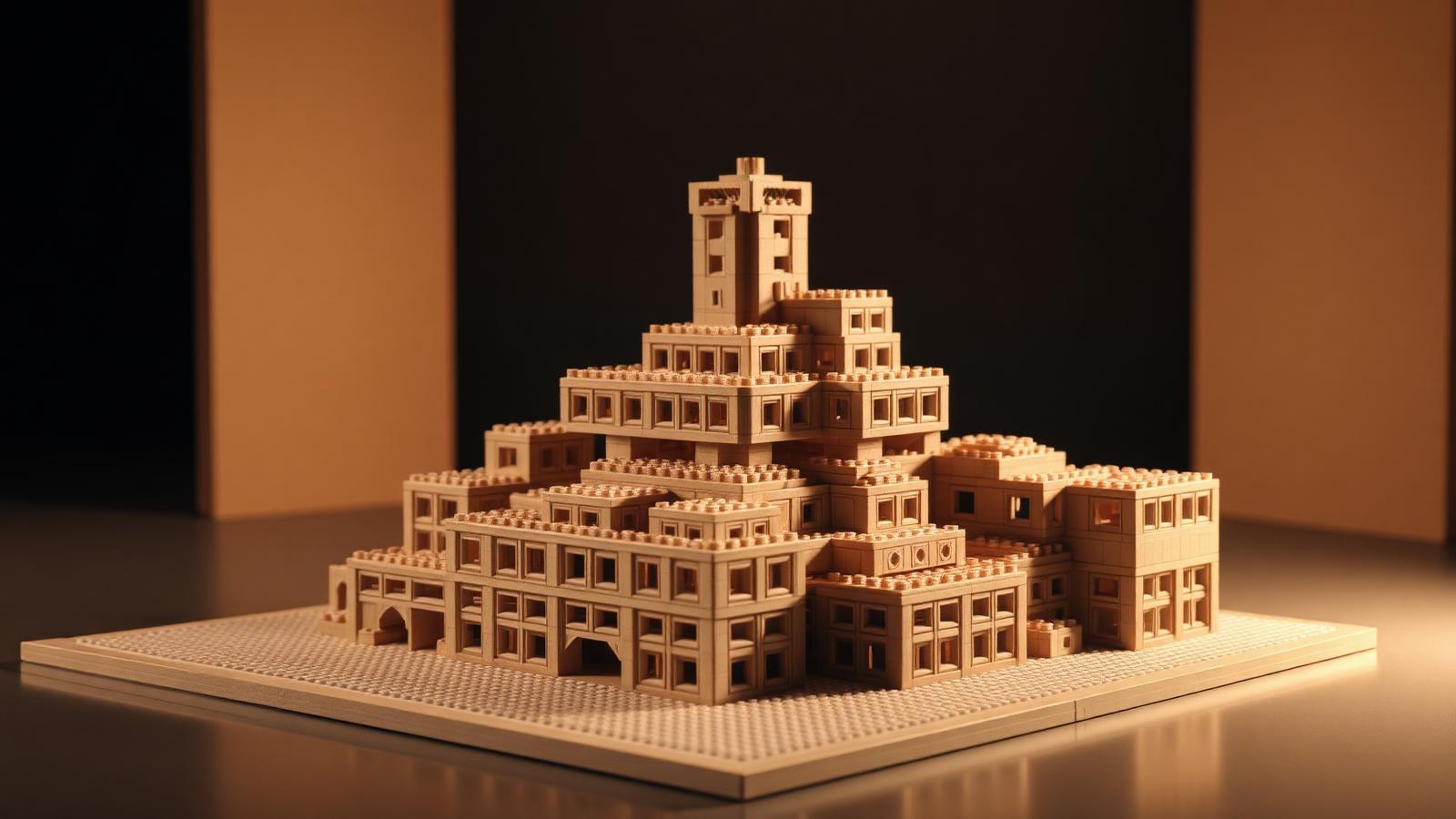
Software engineers and brick builders solve the same problem. Both start with small parts. Both assemble those parts into something big, stable, and useful. And both learn fast that a clever plan beats brute force every time.
Cloud computing runs on a simple idea. Break a huge system into small, reusable pieces. Connect them. Scale them. Back them up. Those pieces are called the building blocks of cloud architecture, and the thinking behind them maps almost perfectly onto physical brick building.
This guide borrows that engineering mindset. You'll learn to plan, stack, and expand your models like a cloud architect designs a system. Modular. Scalable. Redundant. Layered. Four principles, one satisfying build.
Grab your bricks. Let's engineer something.

Why Cloud Thinking Helps Brick Builders
Big builds fail for small reasons.
A wall collapses. A section won't connect to the next. A finished model can't be moved without falling apart. These aren't creativity problems. They're structure problems. Cloud architects face the exact same failures in code, and they solved them decades ago with clear design rules.
Here's the overlap:
- Modularity — build in independent, reusable sections
- Scalability — design so you can grow without a rebuild
- Redundancy — add backup support so one failure doesn't sink the whole model
- Layering — separate your build into clear functional levels
Learn these four, and your builds get stronger, bigger, and easier to change. That's the promise of the building blocks of cloud architecture, applied to plastic instead of servers. For a deeper server-room take on the same idea, see our companion guide How to Build a Cloud Data Center Model from Bricks.
Map Your System Before You Build
Architects diagram first. So should you.
No cloud engineer starts by writing code. They map the system. What are the parts? How do they connect? Where does data flow? You need the same blueprint before your first brick.
Sketch your model on paper. Break it into named sections, just like a system diagram:
- The foundation — your baseplate and structural core
- The modules — independent sections you build separately
- The connections — where modules link together
- The surface — the visible detail layer on top
Give each section a job. A castle might have a gate module, a tower module, and a wall module. A spaceship might split into cockpit, engine, and cargo bay. Naming your modules keeps the whole project organized.
Think about size early. A rough piece estimate stops you from running out of a key color halfway through. For beginner-friendly starter sets and modular baseplate guides, browse the collections at BrickHobby, or study worked examples in Architecture Building Blocks Examples: Planning Guide.
Build in Modules
Modularity is rule one. Master it first.
Cloud systems avoid one giant block of code. Instead they use small services that each do one thing well. Swap one out, and the rest keeps running. Brick building works the same way.
Build each section as a separate unit. Don't attach everything as you go. Instead:
- Build the tower fully, then set it aside
- Build the wall fully, then set it aside
- Build the gate fully, then set it aside
- Connect the finished modules at the end
This approach has real advantages.
Easier fixes. A mistake stays contained in one module. You rebuild that piece, not the whole model.
Faster building. You can work on modules in any order. Stuck on one? Build another.
Simple upgrades. Want a taller tower next month? Swap the module. The rest stays put.
Portable models. Modular builds break down for transport, then reassemble cleanly.
This is the heart of the building blocks of cloud architecture philosophy. Small, independent, reusable. Your MOC gets more flexible the moment you stop building one solid mass. See how the same modular mindset applies at tabletop scale in How to Build Architectural Models with Mini Building Blocks.
Design for Scale
Plan to grow. Don't paint yourself into a corner.
Scalability is a core cloud principle. A good system handles ten users or ten million without a full rebuild. You add capacity as you need it. Your brick models can work the same way, if you plan for it.
Here's how to build scalable:
Use a consistent grid. Keep your modules on standard footprints. A 16x16 or 32x32 base per module means any new section snaps in cleanly. Mismatched sizes force awkward gaps.
Leave connection points. End each module with exposed studs or clean edges ready to link. Think of these as open ports waiting for the next piece.
Standardize your interfaces. Where modules meet, use the same connection method every time. Consistent joints let you rearrange sections freely.
Build a base template. Design one module you can copy. A row of houses, a run of track, a section of city street. Duplicate it to grow instantly.
Scalable design turns a small build into a starting point. Today it's a single building. Next month it's a city block. For a formal framework parallel, read Use Architecture Building Blocks TOGAF Concepts With BrickHobby Sets.
Add Redundancy for Strength
Backups keep systems alive. They keep models standing too.
Cloud systems never rely on a single server. If one fails, another takes over instantly. This is redundancy, and it's why big platforms rarely go down. Your models need the same safety net, especially large ones you plan to display or move.
Weak brick builds share one flaw. A single point of failure. One thin connection holds everything together, and when it slips, the whole section drops.
Build in redundancy like this:
- Overlap your bricks. Never stack seams directly on top of each other. Stagger them like bricklayers do. This spreads load across many connections.
- Double your key joints. Where two modules meet, use several connection points, not one. If one loosens, the others hold.
- Add internal supports. Hide bracing bricks inside large sections. These carry weight and resist twisting.
- Reinforce tall structures. Towers and walls need a strong core. Build an interior column so the outer shell isn't doing all the work.
Redundancy costs a few extra bricks. It saves your model from a shelf-side collapse. This principle sits right alongside the other building blocks of cloud architecture, and it's the one beginners skip most often. For a full engineering treatment, see How to Design Complex Brick Models Using Software Architecture Principles.
Work in Layers
Separate your build into clear levels.
Cloud architecture is layered. There's a front end you see, a back end that does the work, and a network layer connecting them. Each layer has one job. Change one without breaking the others. Layered brick building brings the same clarity.
Split your model into three functional layers:
The structural layer. The bones of the build. Baseplates, internal columns, and load-bearing walls. Strength matters here, not looks. Use your most reliable bricks.
The connection layer. The middle level that ties modules together and routes any moving parts, wiring, or Technic elements. This is your hidden plumbing.
The detail layer. The surface everyone sees. Textures, colors, greebling, and fine details. This layer is pure creativity, resting on a solid foundation.
Building in layers keeps your work clean. You perfect the structure first, then dress it up. If a detail breaks, you fix the top layer without touching the frame underneath.
Test Under Load
Deploy, then stress-test. Every time.
No engineer ships a system without testing it. They simulate heavy traffic and watch for cracks. Do the same with your model before you call it finished.
Run these checks:
- Lift test. Pick up each module by itself. It should hold together with no sagging.
- Connection test. Join two modules and gently pull. The joint should resist without popping.
- Tilt test. Angle the full model. Nothing should shift or drop.
- Transport test. Carry it across the room. A display piece needs to survive a move.
Found a weak spot? Good. That's the test working. Add redundancy, restack a seam, or reinforce a joint. Fix it now, not after it falls off your shelf.
Document and Iterate
Save your design. Improve it over time.
Cloud teams document everything. Version notes, diagrams, change logs. This lets them improve without breaking what already works. Builders benefit from the same habit.
Keep a simple record of your build:
- Photograph each module before final assembly
- Note the key connection points and brick counts
- Sketch any custom techniques you invented
- List parts you'd swap or upgrade next time
Iteration is where builds get great. Version one stands up. Version two looks sharper. Version three scales into something you never planned at the start. For custom parts and specialty pieces to upgrade your next iteration, check the range at BrickHobby.
Putting the Four Principles Together
One model. Four rules. Endless builds.
Here's how the principles stack in a real project. Say you're building a modular city.
- Modularity. Each building is a separate unit. Build, place, swap freely.
- Scalability. Every base uses the same footprint. Add blocks whenever you want.
- Redundancy. Staggered bricks and doubled joints keep tall buildings standing.
- Layering. Street level, structure, and facade detail each get their own pass.
Apply all four and you get a build that grows with you. It survives moves. It's easy to repair. And it never traps you in a design you can't change.
Beginner Tips
New to modular thinking? Start small.
- Build one module first. A single house or vehicle.
- Master staggered stacking before anything tall.
- Keep every module on a matching baseplate size.
- Connect just two modules to learn clean joints.
Grow one section at a time. Confidence builds with each module.
Advanced Tips
Already skilled? Push the system.
- Design a swappable interface standard for all your MOCs.
- Build interchangeable modules that fit multiple models.
- Engineer hidden Technic frames for oversized display pieces.
- Create a modular library you can recombine into new builds.
Advanced builders treat modules like a personal parts kit. Mix, match, and rebuild endlessly.
Common Mistakes to Avoid
Skip these traps.
One solid mass. A single fused build can't be fixed or moved. Break it into modules.
Mismatched footprints. Odd baseplate sizes block clean expansion. Standardize early.
Stacked seams. Aligned brick seams create weak fault lines. Always stagger.
No internal support. Hollow towers fail fast. Add a core column.
Skipping the load test. A build that feels solid on the table can still fail in transport. Test before you display.
Build Like an Architect
Great builds aren't luck. They're design.
Map your system. Build in modules. Design for scale. Add redundancy. Work in layers. Test under load. Document and iterate. Seven steps, drawn straight from how the world's biggest systems get built.
The building blocks of cloud architecture taught engineers to think modular, scalable, and resilient. The same mindset turns a pile of bricks into a model that grows, survives, and impresses.
Collect, build, display and play. Your next modular masterpiece is waiting.
Frequently Asked Questions
What does cloud architecture have to do with brick building?
More than you'd expect. Cloud systems and brick models both assemble small parts into large, complex structures. The core principles overlap: modularity, scalability, redundancy, and layering. Cloud architects use these ideas to keep systems stable and flexible. Builders can use the same thinking to create models that are stronger, easier to fix, and simple to expand.
Do I need to know coding or IT to use this method?
Not at all. The analogy is just a mental framework. You don't need any technical background to build in modules, stagger your bricks, or plan for expansion. The cloud comparison simply makes these building habits easier to remember and apply. If you can stack a brick, you can use this approach.
How do I start building modular models as a beginner?
Start with one module. Build a single small section fully, like one house or one vehicle, then set it aside. Keep every module on a consistent baseplate size so they connect cleanly later. Practice staggered stacking for strength. Once you're comfortable, connect two modules and grow from there.
Why does redundancy matter for a display model?
Display models get moved, bumped, and handled. A build with a single weak connection point can collapse from one small knock. Redundancy — staggered bricks, doubled joints, and internal supports — spreads the load across many points. If one connection loosens, the others hold.
Can I use this modular method with any brick brand?
Yes. These principles work with any standard-system bricks, regardless of brand. Modularity, scalability, redundancy, and layering are design habits, not product features. As long as your bricks share a consistent stud grid, you can build, connect, and expand modules freely across your whole collection.
Ready to build this yourself?
BrickHobby sells high-quality LEGO-alternative building block sets — the same brick standard, a fraction of the price. Browse our in-stock sets and simply contact our customer service team to place your order; we will confirm availability, pricing and worldwide shipping for you.
Keep reading

Architecture & Landmarks
Build Impressive Landmarks with Building Blocks Landmark 5 Sets
A hobbyist and family guide to building blocks landmark 5 sets — how to choose, sort, and build display-quality Eiffel Tower, Colosseum, and Taj Mahal models with BrickHobby as a LEGO alternative.

Architecture & Landmarks
How to Build Impressive Structures with Architecture Wooden Building Blocks
A step-by-step guide for hobbyists and families: how to choose a set, plan, sort, and build display-quality architecture models with wooden-style building blocks.

Architecture & Landmarks
How to Build Stunning Architectural Models with ABB Architecture Building Blocks
ABB architecture building blocks let hobbyists turn a love of buildings into display-worthy models. A complete builder's guide — planning, execution, choosing quality bricks, and showcasing the finished piece.